Resolve file conflicts and checks
Use this when the dashboard stops you with This file already exists, when the CLI stops with already exists. Pass --force to overwrite, or when the Checks tab shows a count.
A file already exists
A project allows only one component per file.
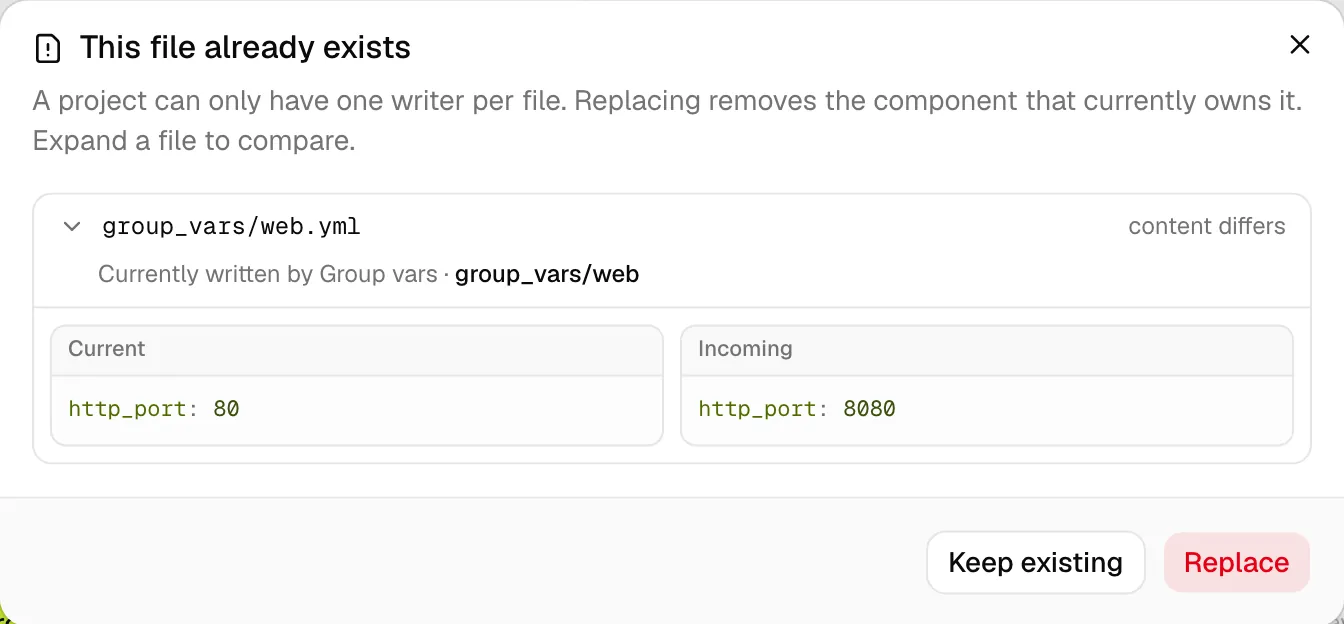
If the component you’re saving would write a file another component already writes, the dashboard shows the conflict before it saves:
With the form still open, the save bar warns you: Saving replaces
<file>, currently from<component>.When you click Add to project or Save changes, a dialog opens titled This file already exists (or N files already exist).
In the dialog:
Expand a file to compare the Current and Incoming content side by side. The row says same content or content differs.
Read the Also removed with that component: line, if there is one. Replacing removes the whole owning component, including its other files.
Choose one:
Keep existing: nothing changes. Rename your new component (for example, give the role or playbook a different Name) and save again.
Replace: the owning component is removed and yours takes its files. This can’t be undone. To get the old component back, add it again.
Editing a component and saving it under the same name replaces it in place, without a dialog.
The CLI refuses instead of asking, and writes nothing:
kikx addandkikx applystop with<file> already exists. Pass --force to overwrite. Re-run with--forceto overwrite. The files you don’t re-render stay on disk.A preset where two components render the same path stops with
two files rendered to the same path: `<file>`. Rename one of them in the preset.
Fix what Checks reports
Note
The checks only run in the dashboard. The CLI doesn’t run them.
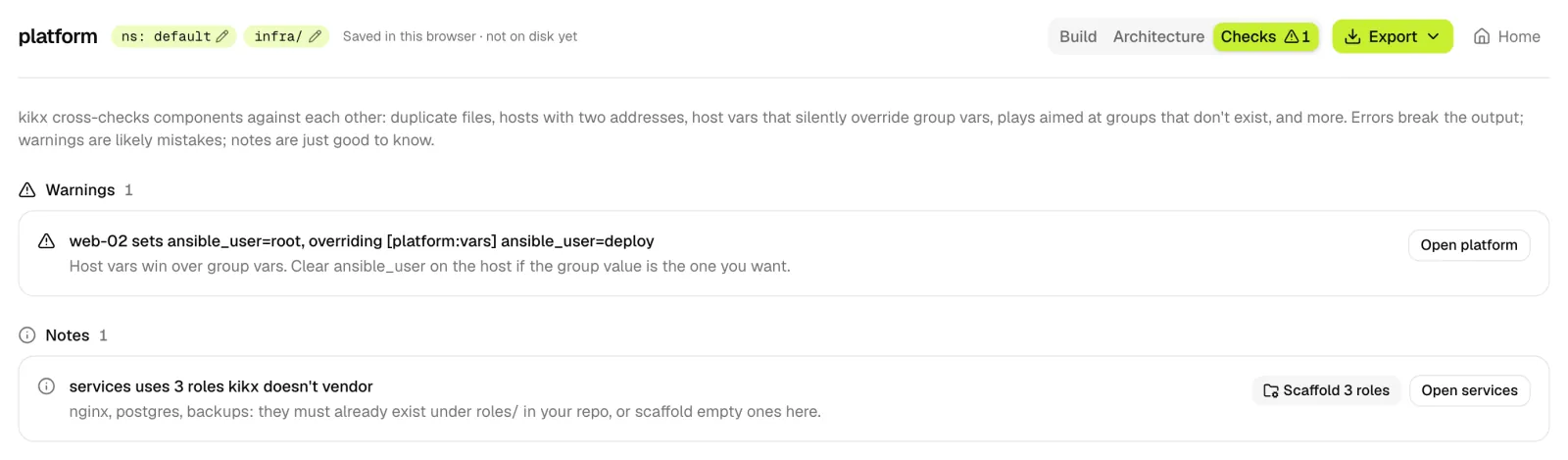
Open Checks from the header, or click Review in the Project panel. Each item has Open … buttons that take you straight to the component to fix. When you edit a component, its own checks also appear at the top of the editor, with the same Open … and Scaffold N roles buttons. Errors break the output, warnings are probably mistakes, and notes are informational.
Errors
Check |
Fix |
|---|---|
|
Only the last one survives in the download. Remove one of them, or rename it. This usually comes from a preset you opened. |
|
Two inventories, or two groups, give the same host name different |
|
Remove one of the |
Warnings
Check |
Fix |
|---|---|
|
Fix the typo in the child group’s name, or add hosts to that group. |
|
Clear the value on the host if the group’s value is the one you want. Host vars win. |
|
Keep one layout. See Manage group vars. |
|
Correct the group name so it matches an inventory group. Otherwise the vars never load. |
|
Keep the key in one place. The group vars file wins. |
|
Correct Runs on (hosts), or add the group to the inventory. Otherwise the play matches no hosts. |
|
Ignore it if the playbook already exists in your repo. Otherwise, add that playbook or fix the path. |
|
Give the Deployment the same name as the Service, or set the Service’s |
|
Add a Service with that name, or correct Backend service. |
Notes
Check |
What to do |
|---|---|
|
Click Scaffold N roles, or ignore it if the roles already exist in your repo. See Scaffold roles. |
|
Add it to the site playbook if it should run as part of |
|
Fine for separate environments. Checks treat all their groups as one pool, so pass the right one with |
Start this lesson to make these mistakes on purpose and watch Checks find them.
See also
Checks reference for the exact rules